Your Screenshots,
Instantly Organized
SnapMind captures your screenshots, lets you annotate key points, and uses AI to extract text, summarize content, and categorize everything — automatically.
Everything You Need to
Master Your
Screenshots
From capture to organization — SnapMind handles the entire workflow with AI intelligence.
AI-Powered Analysis
Automatically extracts text, generates concise summaries, and assigns smart category tags to every screenshot.
Smart Annotation
Mark key areas with drawing tools, cropping, and text overlays before AI analysis.
Cross-Device Sync
Seamlessly sync screenshots and analysis between your phone and desktop via local WiFi.
Privacy First
All data stays on your device. Images are processed through your own AI API — never uploaded to our servers.
Multi-Language
Full interface support for English, 中文, and 日本語 with automatic system language detection.
Auto Capture
Detects new screenshots instantly and prompts you to annotate and organize on the spot.
Import to Obsidian
Export screenshots, annotations, and AI analysis to beautiful Markdown notes, directly appending to your Obsidian vault.
See SnapMind
In Action
A glimpse at the beautiful, intuitive interface designed for speed and clarity.
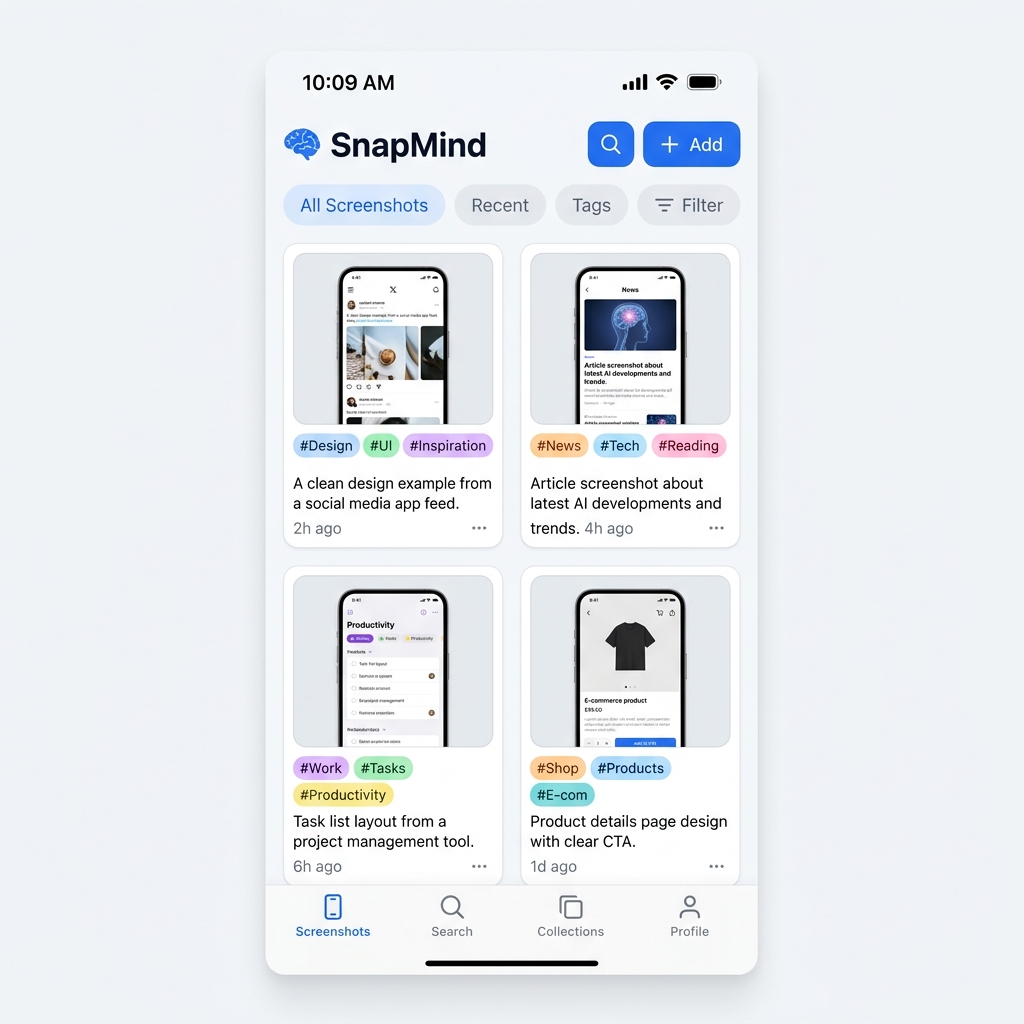
Timeline View
Browse all your screenshots organized by date with AI-generated tags and summaries.
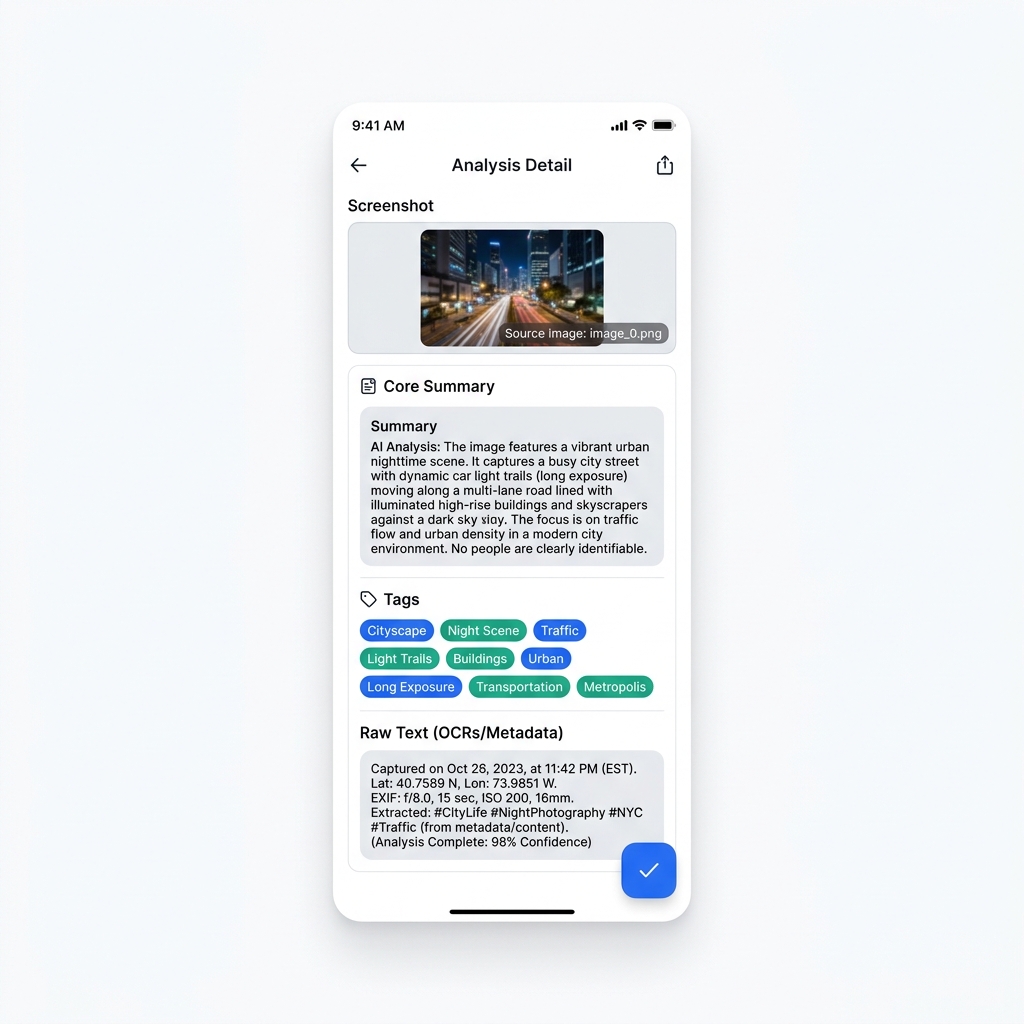
AI Analysis
View detailed AI reports with extracted text, core summaries, and smart category tags.
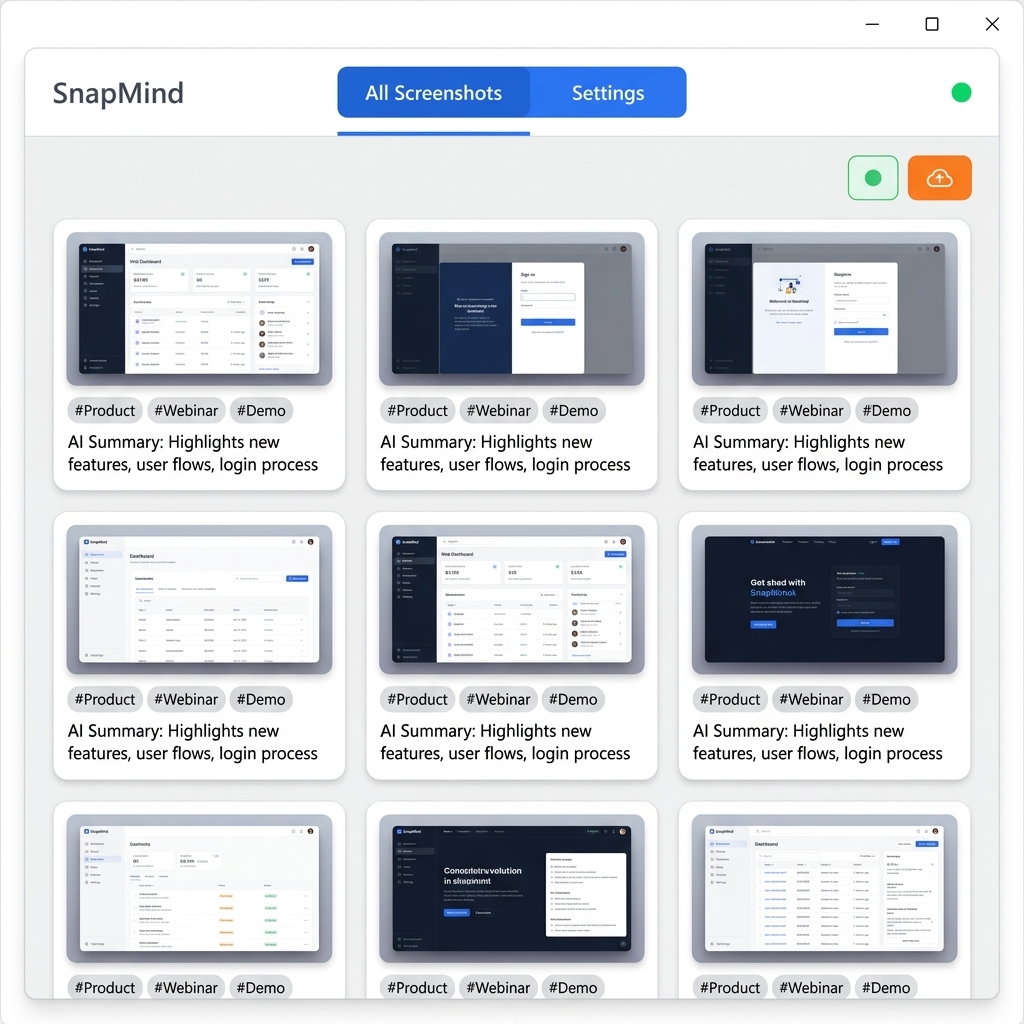
Desktop Companion
Full-featured desktop app for Windows and macOS with seamless phone sync.
Available on
All Your Devices
One account, every platform. Your screenshots follow you everywhere.
Ready to Organize Your
Digital Life?
Stop losing important information in your screenshots. Let AI do the heavy lifting.